 Ask
How to check a contract with AI: a step-by-step guide
Contents
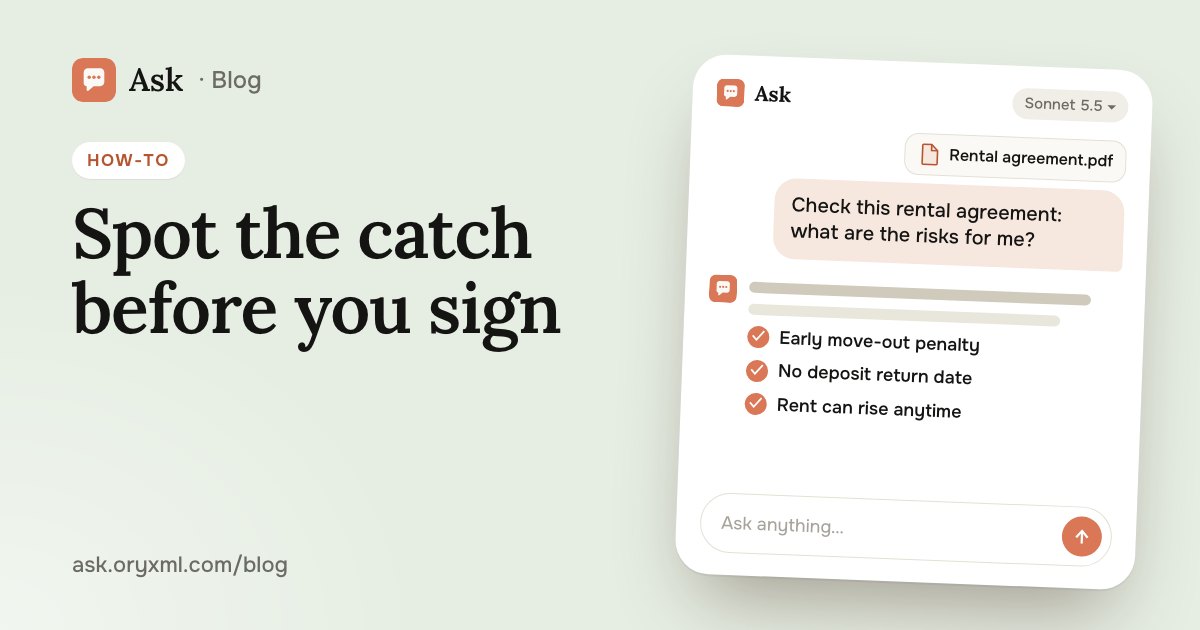
You're asked to sign “right now”, and the contract is twelve pages of small print. In a few minutes AI can show you the penalties, how to get out of the deal and where extra money might be taken from you, so you sign knowing exactly what you're signing.
What AI can and can't do with a contract
It's good at what people rarely have the patience for: reading every line, finding the clauses about money, deadlines and liability, translating legal language into plain words and noticing when one clause contradicts another.
What it can't do: guarantee the contract is lawful, know about anything you agreed out loud, or weigh every detail of your situation. It can make mistakes or cite an outdated rule. Treat its answer as a careful second reading, not a lawyer's opinion.
Step 1. Upload the contract
- Open a new chat in Ask and attach the contract to your message.
- A PDF, a Word file, photos of the pages or screenshots all work. You can send up to 5 files per message. If there are more pages, save it as one PDF or send it in parts and write “continuation of the contract”.
- Take photos in daylight, from above, with the whole page in the frame and the text readable.
- Cover passport numbers, bank details and addresses: they aren't needed to check the terms.
Say who you are in the contract. The same clause can be good for the landlord and bad for the tenant, fine for the employer and unfair to the employee.
Try asking: I'm renting a flat, and this is the landlord's rental agreement. Read all of it and list the clauses that are unfavourable or risky for me as the tenant. For each: the clause number, what it means in plain words, and what I could ask to change.
Step 2. Ask the right questions
“Is everything OK?” gets a vague answer. Go through the topics where problems usually hide:
- Money. How much and when you pay, and what comes on top: utilities, fees, insurance, indexation.
- Penalties. For what, how much, is there a cap, and are they the same for both sides.
- Termination. How to leave, how much notice, what happens to the deposit or prepayment.
- Term. When it starts and ends, and whether it renews by itself.
- Liability. Who pays for damage, delays or loss.
- Vague wording. “Within a reasonable time”, “at its discretion”, “other expenses”: words like these let the other side read a clause however suits them.
Try asking: Find every payment I might owe under this contract besides the main amount. Put them in a table: clause, what the payment is, when it arises, and the amount or how it's calculated.
Try asking: Which wording in this contract could be read two ways? Suggest a clearer version for each.
Checklist: what to check in each kind of contract
| Contract | Check first |
|---|---|
| Renting a flat | The deposit and when it comes back, who pays for repairs, how often the landlord may visit, rent increases, leaving early |
| Employment | Job title and duties, salary and what it's made of, probation, working hours, bonuses “at management's discretion” |
| Purchase | An exact description of the item, delivery dates, warranty, what happens if it's late or faulty, who pays for delivery |
| Services: renovation, courses, a gym | What exactly is included, deadlines, how the work is accepted, refunds if you cancel, automatic renewal |
You can hand the row you need straight to the AI:
Try asking: This is a renovation contract, and I'm the client. Check what work is included, the deadlines and the penalties for missing them, how the work is accepted and whether I can get my prepayment back. What's missing that such contracts usually have?
That last question matters: what's dangerous isn't only what's written, but what's left out, such as no date for returning the deposit.
Step 3. Prepare your edits and the conversation
Once the problem clauses are found, ask for help with the wording. The other side agrees to a specific edit more readily than to “I don't like something here”.
Try asking: Write a polite message to the landlord: I'm ready to sign, but I'd like clauses 4.2 and 6.1 changed. Suggest how to rewrite them so they're fair to both of us.
On paid plans, follow up right in the chat: “what if I move out after four months?”. On Free each question is answered on its own, so attach the contract and write the full question every time. What each plan includes is on the Plans page.
What AI can't replace
AI isn't a lawyer. It takes no responsibility for its advice, can get a legal reference wrong and can't see what's outside the text. If the contract involves a large sum, a home, a business, a loan or a job you value, show it to a lawyer.
Many people put that visit off because it feels awkward to walk in asking “what does any of this mean?”. After checking with AI, you walk in with a short list of specific clauses and a question for each. The consultation is shorter, and you follow every word of it.
If the document itself is hard to make out, see how to explain a document from a photo. If something has already gone wrong under the contract, read how to write a complaint letter. And for sharper answers in general, see how to ask AI.
Frequently asked questions
Can AI replace a lawyer when checking a contract?
Can I send the contract as photos?
Is it safe to upload a contract with personal details?
Which model should I use for a contract?
Try it on your own task
Your first answer arrives in seconds. No VPN, no password, and there’s a free plan.
Ask for freeKeep reading
Explain a document from a photo with AI: bills, letters, lab results
Photograph a utility bill, bank statement, manual, official letter or lab results, and AI explains it in plain words. How to shoot it and what to cover first.
AI for Excel: how to analyse spreadsheets and write reports
Analyse an Excel spreadsheet with AI: totals, trends, outliers, a summary for your boss, VLOOKUP, XLOOKUP and SUMIF explained, data cleaning and what to check.
Job interview practice with AI: questions and a mock interview
Prepare for a job interview with AI: questions for your role, a mock interview with feedback, a strong tell me about yourself, salary talk and questions to ask.